I bought two 10 TB Toshiba drives for backups. One receives weekly restic backups. The other is still waiting for me to install it at another location. Together, they cost about $500, and the remote copy I bought one of them for still doesn’t exist.
In the previous post, I counted those drives as part of the cost of protecting my data. This time, I want to explain what the working drive actually does, which data I chose to back up, and what remains unfinished.
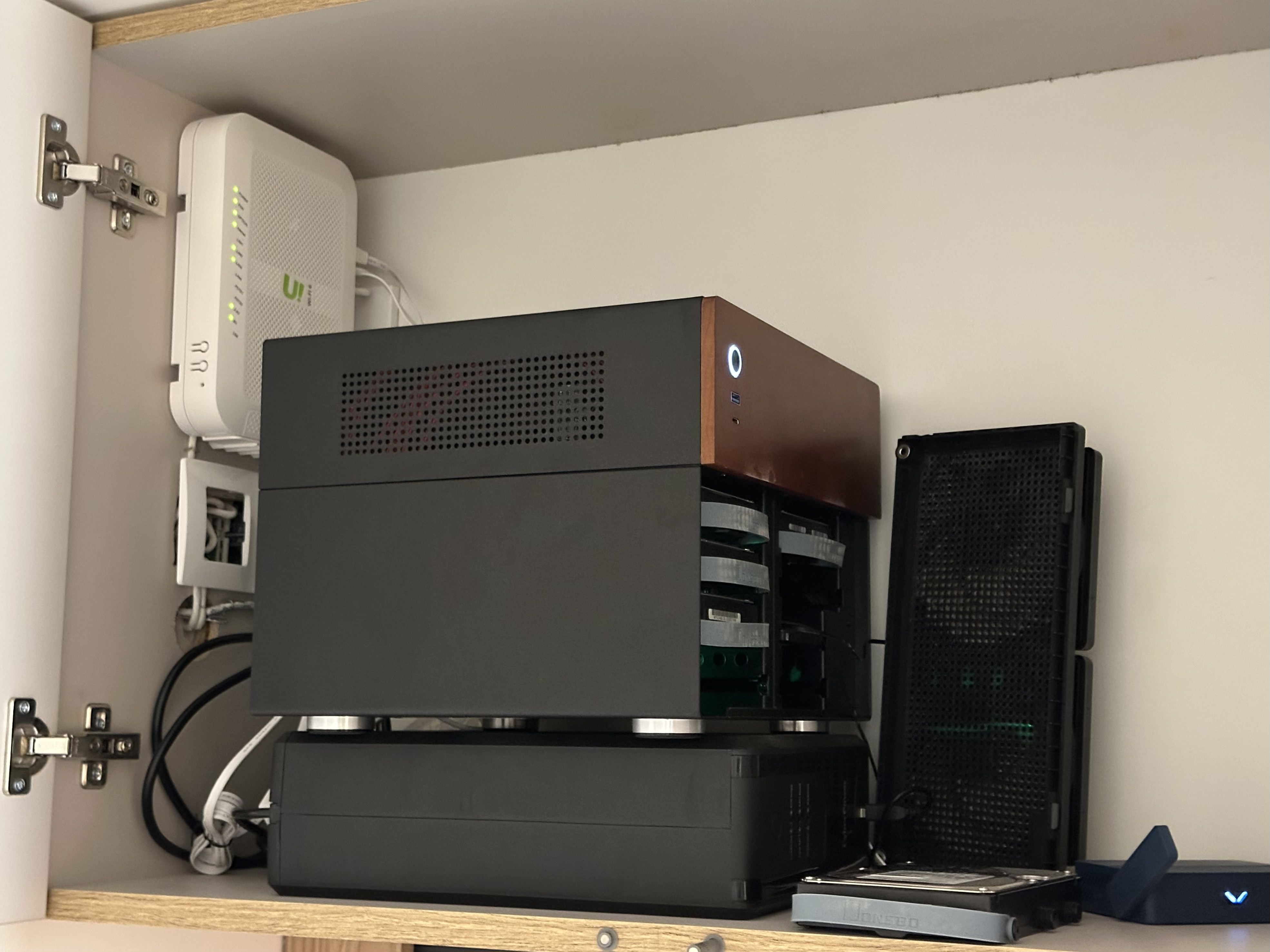
One Toshiba is making backups. The other still needs to leave home.
My storage is split according to what I am willing to lose. Movies, TV shows, and downloads live on a separate drive without parity, and that media library is left out of the Toshiba backup. Photos and documents live on a parity-protected drive. For backups, I select the parts I want to preserve and leave out files the applications can recreate.
I can rebuild a service or download a film again. I can’t recreate the photos that made me want a proper storage system in the first place.
If the protected data drive fails, parity helps me recover its contents. If I delete the wrong folder, it preserves that change too. The same applies to a file that an application damages. I need an earlier copy to get back what was there before.
That is where the first Toshiba comes in.
It is connected to Unraid as a separate pool called vault, outside the main array. It holds the restic repository and has no parity of its own. Like my other hard drives, it uses XFS. Btrfs is used only on the SSD cache.
The Toshiba spins down when idle, but it remains connected as a pool. I described this too loosely in the previous post: the drive is not disconnected after the backup finishes. Spin-down stops the platters; it does not isolate the backup from the server.
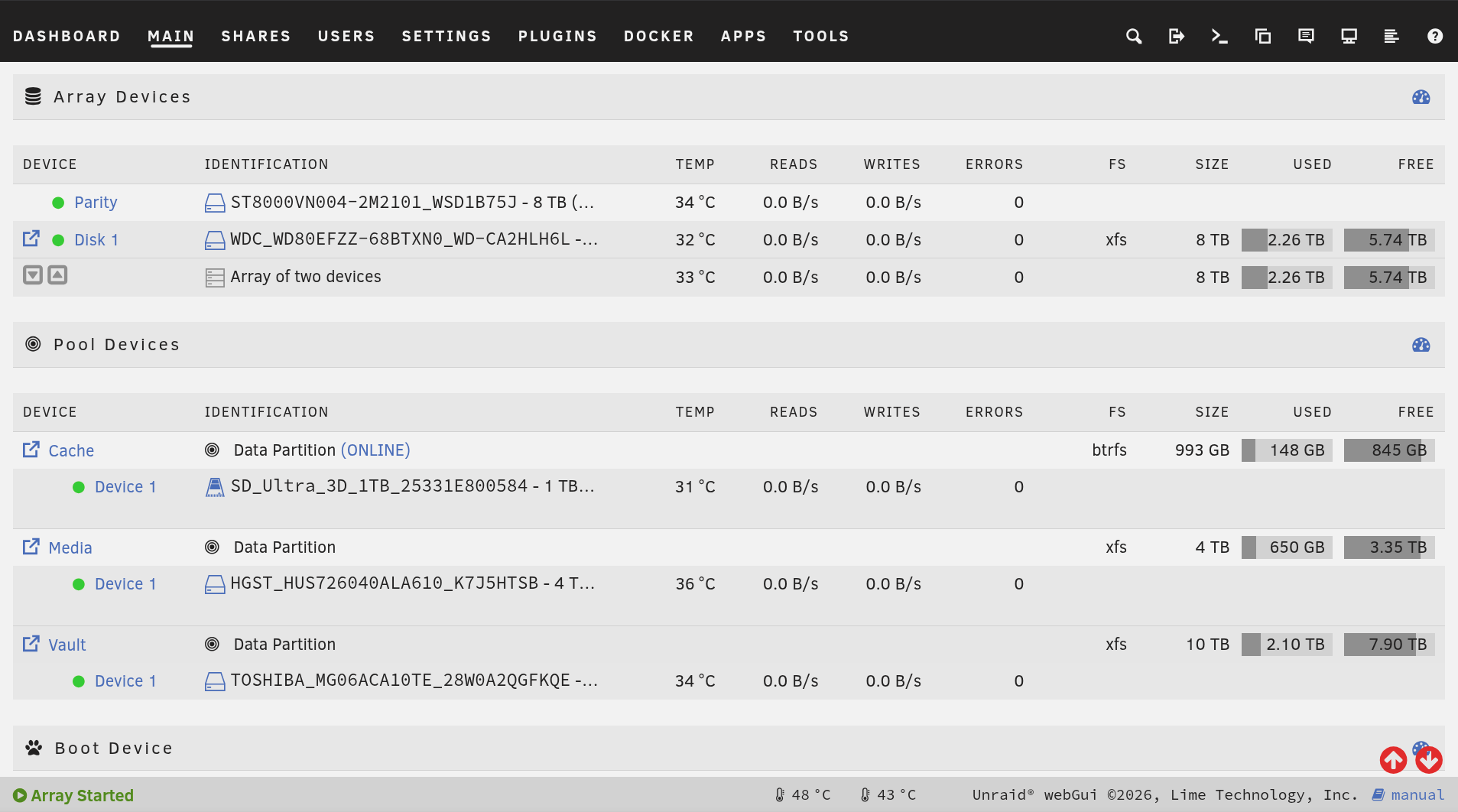
The Toshiba has its own pool. It still belongs to the same server.
Collecting the Backups
Before restic can copy anything, I need to get the data into one place.
The homelab has grown beyond Unraid. Home Assistant stayed with the smart devices when I moved the server to another location. There are VPS instances for the VPN and monitoring, and several routers with configurations I would rather not recreate from memory.
Ansible can rebuild much of the infrastructure, but some of its state lives elsewhere. VPN clients are in a database. Uptime Kuma keeps its monitors and settings in another database. Home Assistant has its own backups. Having the deployment configuration in Git does not preserve all of that.
I’ll probably replace Uptime Kuma eventually. I’d prefer a monitoring tool I can configure through Ansible, so I can rebuild its setup along with the rest of the infrastructure.
So every morning, Unraid collects the backups.
The VPS instances create their own archives, including SQLite database snapshots and the other files needed for recovery. Unraid pulls those archives and Home Assistant’s backups over Tailscale. For the routers, it requests a configuration backup over SSH and saves a dated archive.
I chose to have Unraid fetch the files so that the source machines do not need credentials allowing them to write to the backup storage.
Here is an abbreviated view of the archive directories on October 6, 2026. The filenames are real; most of the older files are omitted:
/mnt/user/backup/homelab/
├── ha-krm/
├── mon-1/
│   ├── …
│   ├── kuma-backup-20261005-040001.tar.gz
│   └── kuma-backup-20261006-040001.tar.gz
├── router-alm/
├── router-krm/
├── router-srt/
│   ├── …
│   ├── sysupgrade-2026-10-05.tar.gz
│   └── sysupgrade-2026-10-06.tar.gz
├── router-trvl/
└── vpn-nl/
    ├── …
    ├── vpn-backup-20261004-033001.tar.gz
    └── vpn-backup-20261005-033001.tar.gz
The machines are in different places. Their backup archives meet here. The router-alm directory contains older archives from a router no longer included in the current collection job.
There is an important detail in that collection step: rsync mirrors the VPS and Home Assistant archive directories, including deletions. When an old archive disappears from the source, it disappears from this copy too.
That is useful for keeping the collection tidy, but it means this folder follows the source’s retention policy. Restic provides the longer history by taking weekly snapshots of the collected data.
Choosing What to Keep
It also backs up the parts of Immich I want to keep.
I use an explicit list of paths:
BACKUP_PATHS=(
    "/mnt/user/backup"
    "/mnt/user/photos/immich/backups"
    "/mnt/user/photos/immich/library"
    "/mnt/user/photos/immich/profile"
    "/mnt/user/photos/immich/upload"
)
A full implementation in my Github.
The original photos and videos are the obvious part. The database dumps matter as well: my photo library includes albums, recognized faces, and metadata. Restoring the image files alone would not restore everything I use in Immich.
Thumbnails and transcoded videos are excluded because Immich can generate them again. Frigate recordings are excluded deliberately too. I am willing to lose those.
This was one of the more useful decisions in the whole setup. “Back up my server” sounds straightforward until I have to decide which parts deserve space in every copy.
The explicit list also creates a maintenance task. If I add another application or directory, it does not automatically become protected. The script logs a warning when it finds an unfamiliar folder, but I still have to decide whether to add it. Putting something on Unraid is only the first step.
Restic keeps eight weekly and six monthly snapshots under the current retention policy. That gives me older states to return to when I notice a mistake later.
These were the eight snapshots in the repository on October 6, 2026. I have shortened the listing to IDs, dates, and tags; all eight contain the paths listed above:
Snapshot   Date         Tag
669fa38b   2026-08-17   weekly
c982830a   2026-08-23   weekly
e37eef48   2026-08-30   weekly
f3c8778c   2026-09-06   weekly
5e0cc019   2026-09-13   weekly
1c7ac067   2026-09-20   weekly
36352c43   2026-09-27   weekly
9f6d5378   2026-10-04   weekly
A backup from before I noticed the problem is the one I might need.
The password belongs in this story too. Without it, I cannot open the repository and restore the data. It is stored on the Unraid boot flash drive and in encrypted Ansible variables. The backup is only useful if I can still get the key when I need it.
Scheduling and Checking the Copies
The weekly jobs run in a particular order.
On Sunday, the mover runs first and transfers data from the SSD cache to the array. Appdata Backup then saves application data and the boot flash drive. The daily collection job fetches the other machines’ archives. Restic runs after those steps.
I want it to pick up fresh backups, and I don’t want it scanning files while the mover is relocating them. The schedule gives the earlier jobs time to finish.
Ansible deploys the scripts, the restic binary, and its settings. I configure the schedules through Unraid’s interface. This means the repository describes most of the mechanism, but the scheduler settings are still part of the setup I need to remember.

The jobs have an order: collect fresh data, copy it, then check the copy.
I also need to know when this stops working.
Every weekly restic run ends with a metadata check. Twice a month, a separate script reads and verifies 10% of the repository’s data. That is a partial check, so I do not treat it as evidence that every stored file has recently been read in full.
This is an excerpt from the saved October 1 check log. Routine setup lines have been omitted:
Script Starting Oct 01, 2026  08:00.03

[restic-vault-check] metadata check
[restic-vault-check] metadata OK (0 min)
[restic-vault-check] data check: re-reading a random 10% of packs
[restic-vault-check] check: 1513 additional files were found in the repo, which likely contain duplicate data.
[restic-vault-check] check: This is non-critical, you can run `restic prune` to correct this.
[restic-vault-check] check: read 10.0% of data packs
[restic-vault-check] check: [24:11] 100.00%  10523 / 10523 packs
[restic-vault-check] check: no errors were found
[restic-vault-check] OK (10% of pack data verified, 24 min)

Script Finished Oct 01, 2026  08:24.59
The sampled data passed the check. Restic also reported a non-critical warning about possible duplicate data.
Errors go to ntfy. I get a notification when a job fails and another when it recovers. Repeated failures stay quiet rather than sending the same message every day.
The VPS instances also check how old their latest archive is. This covers a different problem: Unraid could successfully collect the available files even though the source stopped producing new backups days ago.
Reading these logs for the article gave me a current example: the Home Assistant collection failed on October 6, while the VPS and router collections succeeded. Its directory still exists and contains older files. The directory tree alone would not tell me about the failed run.
I have been making backups for roughly six months. The oldest snapshot currently retained in this restic repository is dated August 17, so the listing above shows a shorter history. I have not had to perform a major recovery during that time. The scripts and checks give me information about the copies, but I still need to test the full path from a backup to a working service.
The Drive That Still Needs to Leave Home
The other unfinished part is easier to point at: the second Toshiba.
It is meant to live at another location and receive backups over the network. Until I install it and configure that process, the originals and the local restic repository remain on the same server.
The separate pool gives me another copy and a history of changes. It still shares the server’s location and hardware. An incident affecting the whole machine or the place where it lives could affect both.
Buying the second drive was a concrete step, but it did not create a remote backup. There is still a machine to connect it to, a transfer process to configure, and another set of checks to make sure it keeps receiving data.
In the previous budget, the parity drive and the two backup drives came to roughly $681. The main data drive cost $250. That is how I ended up spending more on protecting the data than on the drive that holds it.
The work grew in the same way. First came enough space for the files. Then came decisions about what to preserve, copies from other machines, snapshot history, passwords, schedules, and notifications.
One Toshiba is now doing its job. The next part of this story starts when I finally give the other one somewhere else to live.
← Previous: I Wanted a Smart Home and Built a Homelab. Was It Worth It?